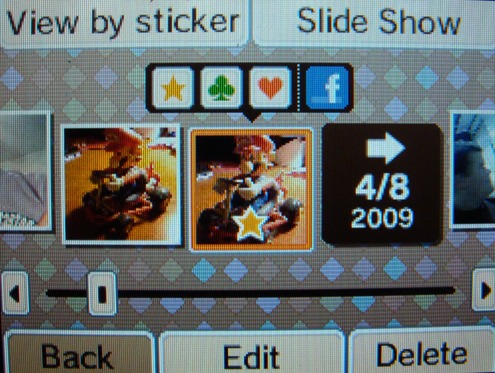
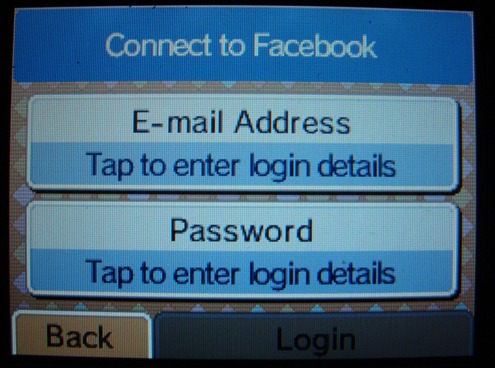
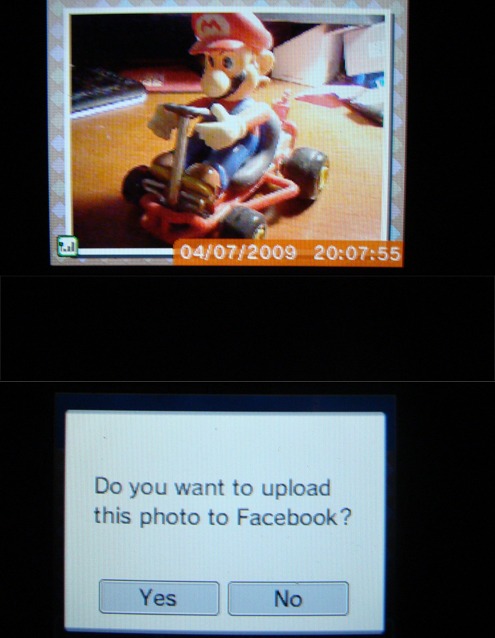
Run a “System Update”, snap some shots, open up your DSi photo album, and start uploading pictures to your facebook account.
Hit the jump for a quick image walkthrough.
_____
_____
_____

_____

Run a “System Update”, snap some shots, open up your DSi photo album, and start uploading pictures to your facebook account. Hit the jump for a quick image walkthrough. _____ _____ _____ _____
Run a “System Update”, snap some shots, open up your DSi photo album, and start uploading pictures to your facebook account.
Hit the jump for a quick image walkthrough.
_____
_____
_____
_____
Share your perspective. Keep it thoughtful, welcoming and on topic.
This discussion is closed to new comments.
See, I’m such a tool. I totally want that. My camera sucks (it makes everything extra dark and crispy), and while I’m sure the DSi doesn’t have an amazing camera, it’s probably better than mine.
But whatever. I can’t afford a DSi right now, so I’ll just continue enjoying my DSphat.
One word:
Why?
I love this function… Frankly, it was a pain for me to get the SD Card reader out… Yes, I am a TOOL as well… I have other SD cards that are wireless, so why not my DSi… Shoo… It doesn’t accept my wireless SD card… So now, I can just seemlessly upload my stupid monsters I made with my friends (i.e. my friends and I melted together…).
@Andrew G:
I think I can almost guarantee that the DSi camera(s) are not better than your own. The only bonus here is that your camera doesn’t upload directly to Facebook.
I uploaded a few, it is surprisingly fast!
Oh, shucks… I guess this means I will have to get a DSi now…
This was the only new feature in the latest system update right?